
How can you reactivate your training video library?
To reactivate a video library, start with one module: check its content, define what learners should be able to do, organise the sequences around that objective, and add opportunities to ask questions and practise. Test this learning path before extending it. Keep videos that are still useful; correct or replace those that are not.
1. Identify what is getting in the way of learning
A video with a low completion rate is not necessarily a poor video. Learners may be looking for a specific answer, be short of time or already know part of the subject. Conversely, finishing a video does not prove that someone can apply its content. Examine feedback and the task to be performed before deciding to remake everything.
- Is the content still accurate, up to date and appropriate for the audience?
- What workplace task should learners be able to perform after the module?
- At which points do questions, errors or dropouts occur?
- Is there an activity that checks understanding beyond simply watching?
2. Connect videos to a concrete objective
Set an observable objective: “identify the documents to request during an initial meeting”, rather than “understand customer relationships”. Then classify the videos: keep, correct or remove. Identify the passages essential to that objective and the optional material for further exploration.
Outdated material must be corrected before an AI uses it as a reference. Adding a conversation to a video does not fix an incorrect instruction or an obsolete procedure. Appoint someone to approve the content and record the version used.
- Write down the expected action and its success criteria.
- Connect each sequence to a concept or a step in that action.
- Prepare an exercise that makes practical application observable.
3. Organise sequences without rerecording everything
Divide the content or mark changes of topic with explicit headings. A chapter should help learners find an answer, not simply match an arbitrary duration. A complex demonstration may take longer than a definition: there is no universal length suitable for every course. To consider the role of digital learning in your offering, also read our article on training providers and digital learning paths.
Segmenting content and highlighting important information are among the principles Cynthia Brame describes in her review of educational videos [1]. These recommendations support learning design; they do not guarantee a quantified improvement for your library.
4. Combine spoken questions with practice
Let learners ask for an explanation when they need it
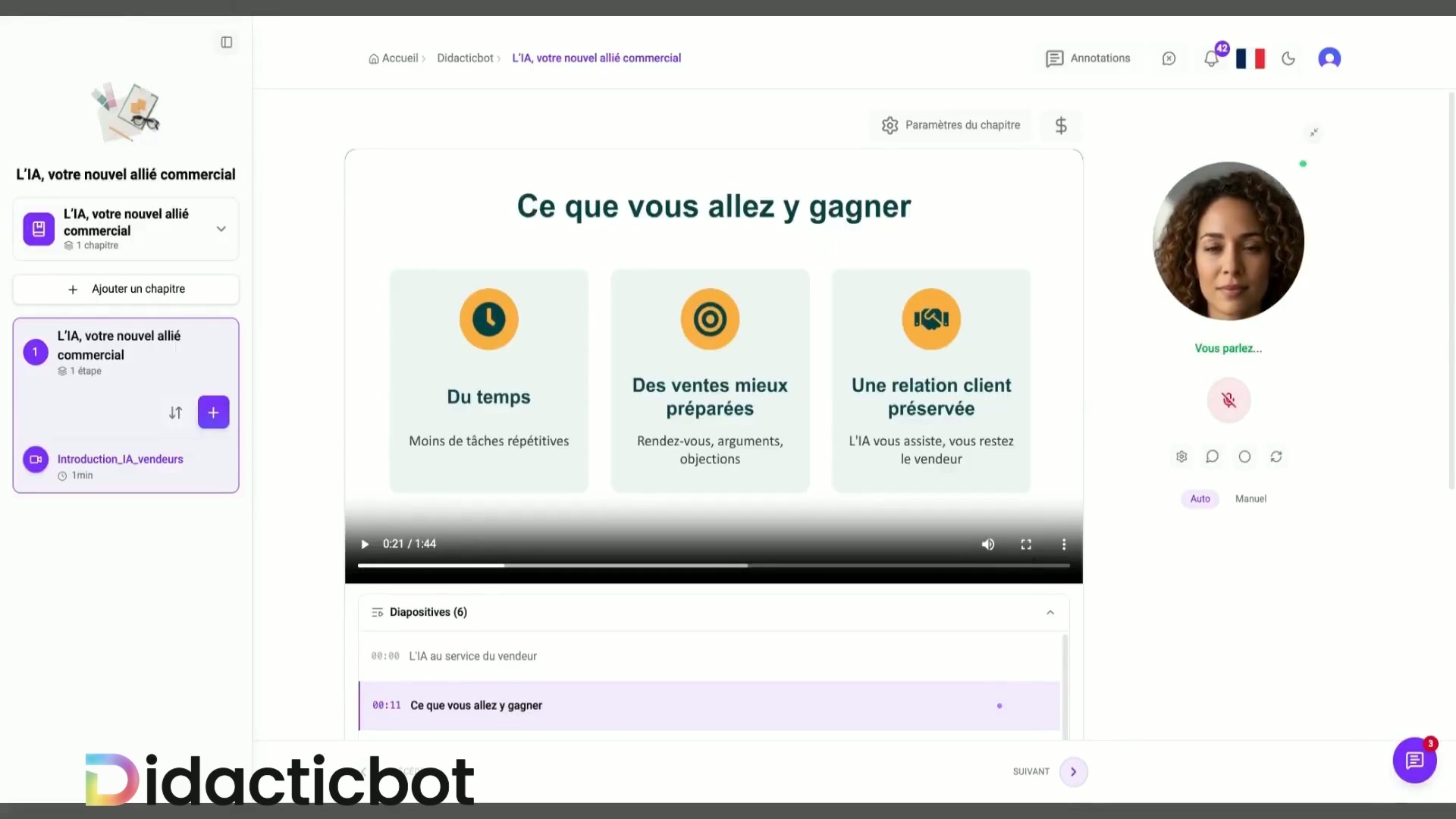
With DidacticBot, learners can ask a question aloud during training. The video pauses; the AI draws on approved learning materials, and the learning path resumes when requested. This interaction lets learners ask for an explanation or rephrasing without leaving the context of the course.
The conversational demonstration on Qualiopi, France’s training quality certification framework, shows how this works for a specific topic. For your library, importing, structuring and tracking arrangements must be confirmed in a demonstration tailored to your needs. Explore the LMS and voice AI features to distinguish the examples shown from capabilities that need to be confirmed.
Ask learners to retrieve information, then use it
After a sequence, first ask learners to formulate an answer without watching the video again, then provide explanatory feedback. Next, offer a situation in which they must make a decision or take action. The review by Dunlosky and colleagues identifies retrieval practice and distributed practice as useful techniques in the contexts studied [2]. It does not measure DidacticBot’s effectiveness.
A quiz checks certain learning outcomes; a scenario-based activity examines how they are used. DidacticBot serious games can illustrate this second approach. Choose a game based on the learning objective, rather than replacing a relevant activity with a game purely for novelty.
5. Before-and-after example: preparing for a client meeting
This fictional scenario illustrates the method: a training provider has a video presenting the stages of an initial client meeting. This example makes no claims about client results.
Before
A single video explains the entire procedure. Learners watch it, then tick “completed”. Their uncertainty about which documents to request is not examined.
After
The learning path states the objective, separates preparation, questions and checking, then provides a fictional file to analyse. Learners can request an explanation and justify which documents they would ask for.
| Stage | Team action | Useful record |
|---|---|---|
| Objective | Define the documents to identify and the errors to avoid. | Instructions and success criteria. |
| Content | Check the procedure and identify useful sequences. | List of materials and approved version. |
| Activity | Create a fictional file and explanatory feedback. | Expected answer and justification. |
| Trial | Have learners work through the module and record difficulties. | Observations and corrections needed. |
6. Evaluate the pilot before rolling it out
Keep a baseline from before the changes: the same objectives, a comparable audience and an exercise assessed against the same criteria. After the trial, distinguish experience feedback, viewing activity and learning outcomes. If groups or conditions differ, do not present their comparison as causal evidence.
- Understanding: which errors occur in the exercise, and are they corrected?
- Use: can learners find the right sequence and resume the learning path?
- Questions: which points need a better explanation or intervention from the trainer?
- Maintenance: who corrects the materials and reapproves the module when the procedure changes?
Set success criteria before the trial. The project’s duration depends on the condition of the videos, the adaptations needed and the availability of reviewers. No universal deadline, target completion rate or return on investment is promised here. Training providers can use this grid to scope their project.
Decide whether to repair, supplement or replace
Before funding new production, distinguish a problem with the content from a problem accessing it. An accurate explanation that is hard to find is more likely to need better signposting. A demonstration showing an interface that has changed may need a targeted supplement. A procedure that is now incorrect must be removed from the active learning path, even if filming it was expensive. Money already spent does not justify retaining a misleading resource.
Also consider how stable the subject is: an enduring principle and a frequently changing software screen do not have the same maintenance needs. For the latter, separating the explanation of the principle from the operating instructions makes later corrections easier. This editorial decision does not require any particular player feature; it can be implemented through two separate resources and explicit links.
The expected deliverable is a decision sheet for each resource: the problem identified, its impact on the task, the chosen solution, the person responsible for approval and the condition for withdrawal. Add the usage rights that need checking, particularly when presenters, third-party images or client documents appear. An inability to reuse material may change the decision, regardless of its educational quality.
Address what video alone does not make accessible
Bringing videos back into use is also an opportunity to check information that is only shown or only spoken. The W3C WAI guide to accessible media distinguishes captions, transcripts, descriptions of visual information and player capabilities. These components address different needs; simply adding text below a video does not demonstrate that the entire learning path is accessible.
In a demonstration, identify actions referred to as “here”, colours used as the only cue and values displayed without being read aloud. Prepare a description that makes the action understandable without seeing the pointer precisely. Review technical captions: a missing negative or an incorrectly transcribed specialist term can reverse an instruction. Also check that corrections stay aligned with video versions.
The acceptance-testing record should connect each observed barrier to a correction and an actual check: access to the alternative material, understanding the instructions and navigation through the learning path. Confirm what the chosen player can do rather than assuming its capabilities. A supplementary document may help as a stopgap, but it does not replace an analysis of the needs of the people concerned.
Manage the transition without leaving two conflicting versions in circulation
In this case, acceptance testing means more than watching the new video. The reviewer searches for the old form through the usual entry points: the library, document area and launch messages. They check that links lead to the selected version and that the supplementary sheet carries the same procedure reference. If an old resource must remain archived, its status must be clear and distinct from the active learning path.
Finally, prepare a release checklist: resources published, resources withdrawn, links checked, outstanding issues and the person authorised to sign off those issues. Distinguish a blocking issue, such as an incorrect instruction, from a presentation improvement that can wait. Define the next review trigger, such as a change to the form, rather than making a vague promise of regular updates. This checklist complements educational evaluation: it safeguards document consistency without claiming to measure learning outcomes.
Tell trainers about the changes so they do not continue recommending an old link. Keep a record of this communication in the release documentation.
Key takeaway: reactivating does not mean remaking everything
Keep reliable content, connect it to a concrete action, and add opportunities to ask questions and practise. Start with one module, observe what learners can actually do successfully, and improve the learning path before extending it. Voice conversation is one way to support understanding; it complements instructional design and the trainer’s role.
Sources and scope
- [1] Effective Educational Videos: Principles and Guidelines for Maximizing Student Learning from Video ContentCynthia J. Brame, CBE—Life Sciences Education, 2016.
Review of cognitive load, engagement and active learning with videos. Not a study of DidacticBot.
- [2] Improving Students’ Learning With Effective Learning TechniquesJohn Dunlosky et al., Psychological Science in the Public Interest, 2013.
Review of learning techniques, including retrieval and distributed practice. Effects depend on the context.
- [enrichment-wai-media] Making Audio and Video Media AccessibleW3C — Web Accessibility Initiative
Technical guide covering captions, transcripts, descriptions of visual information and players. It is not a product compliance audit.
What if your learners could talk to their training?
Share your library and objectives with the DidacticBot team to explore how conversational learning works and which arrangements suit your project.
Request a demo