AI-powered LMS features

LMS features for connected learning experiences

Connect learning content, conversation and practice. DidacticBot combines interactive video learning, conversational voice AI and serious games for professional training.

Request a demo

Design and organize training

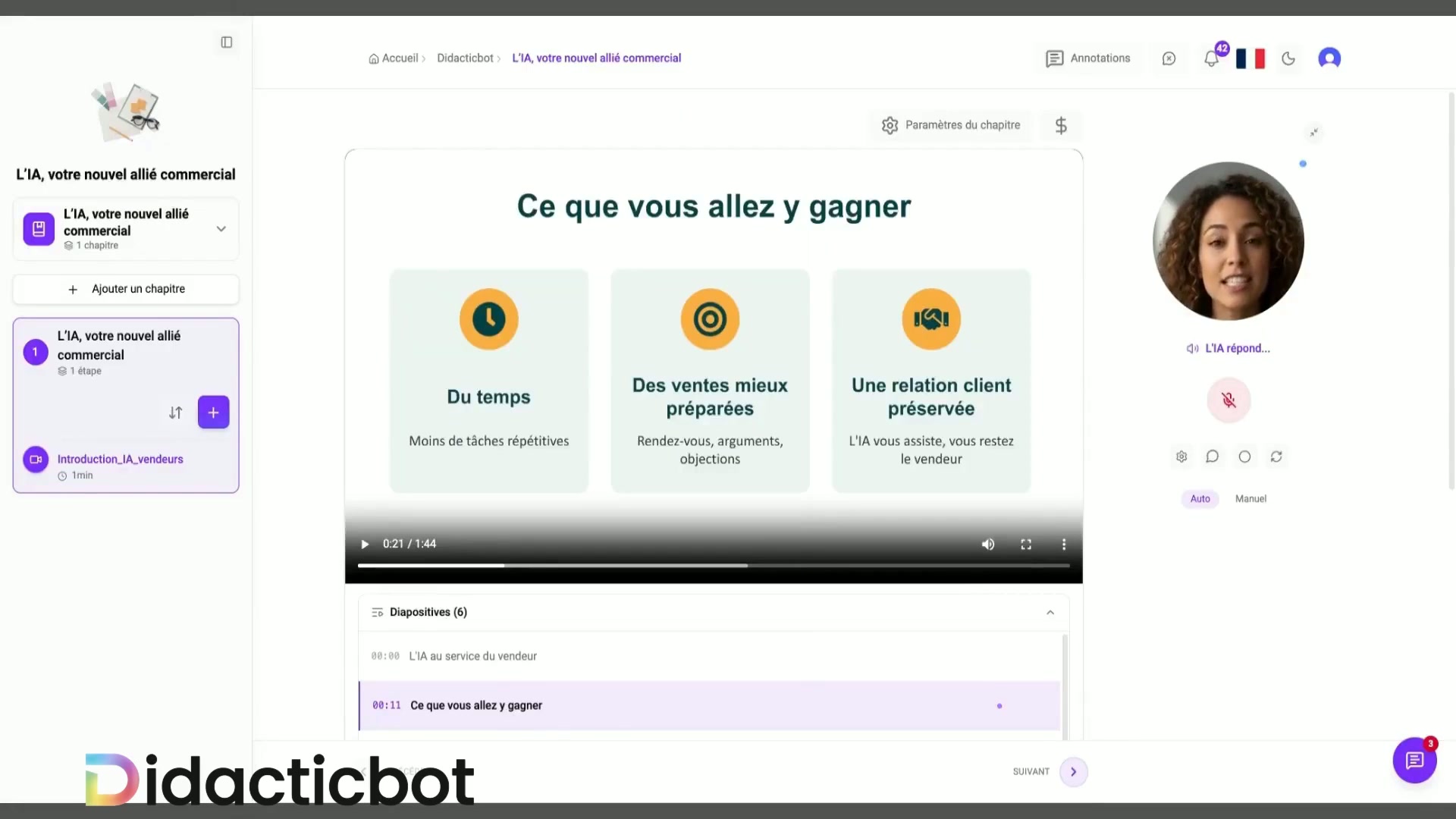
Start with your professional content, define learning objectives and structure a coherent learning path. Discuss how your resources can be integrated and organized into modules.

  • Learning content and objectives
  • A structured learning journey
  • Import formats to confirm for your project
Actual DidacticBot demonstration: learning content beside the AI avatar.

Ask questions aloud during videos

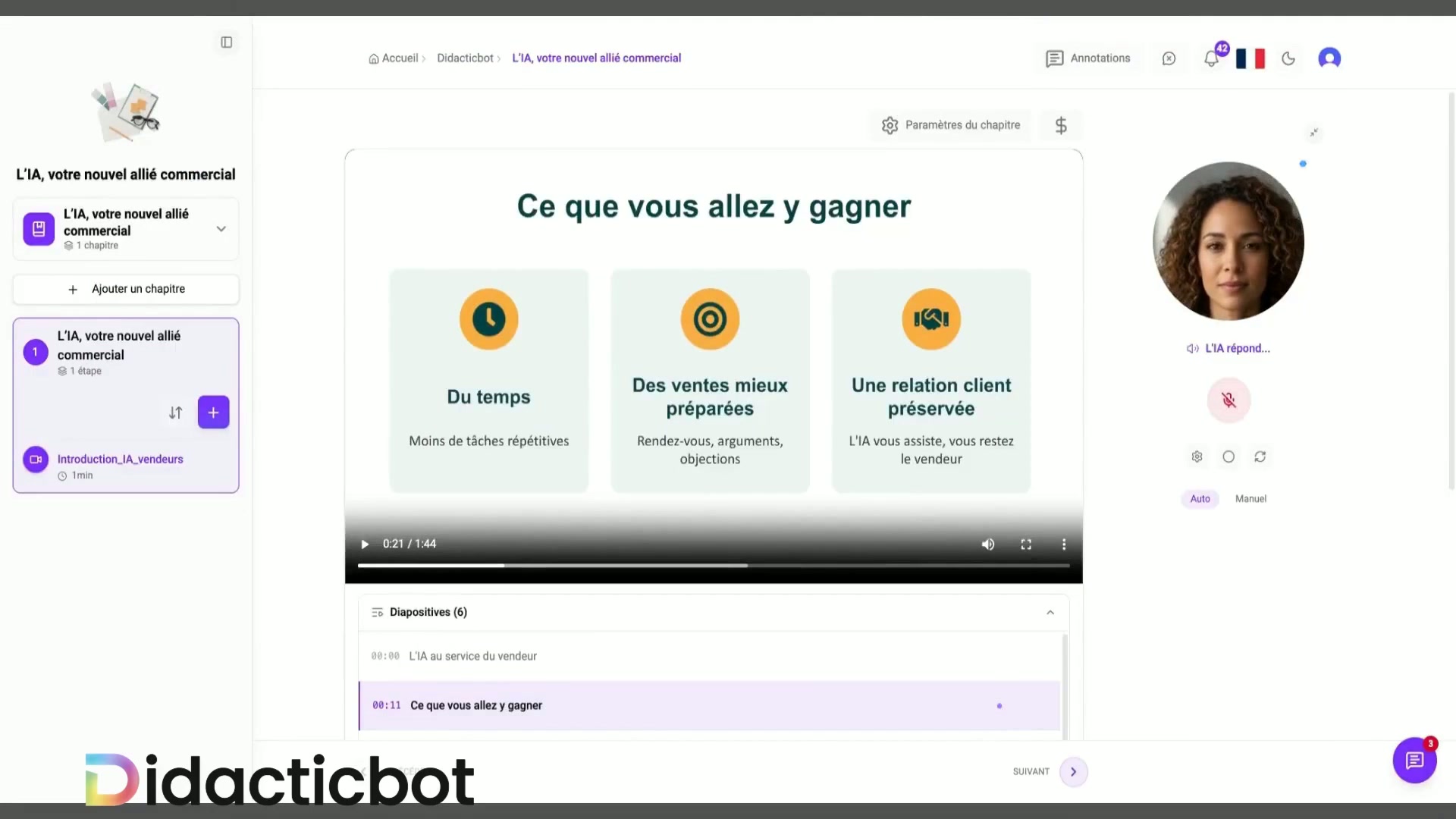
Learners watch a video and ask a question aloud. The video pauses while AI answers using approved learning materials. Learners then resume their training on request.

  • Voice questions during training
  • Spoken answers grounded in approved content
  • Resume the learning path on request
Actual demonstration of the AI avatar answering beside the training video.

Practice through serious games

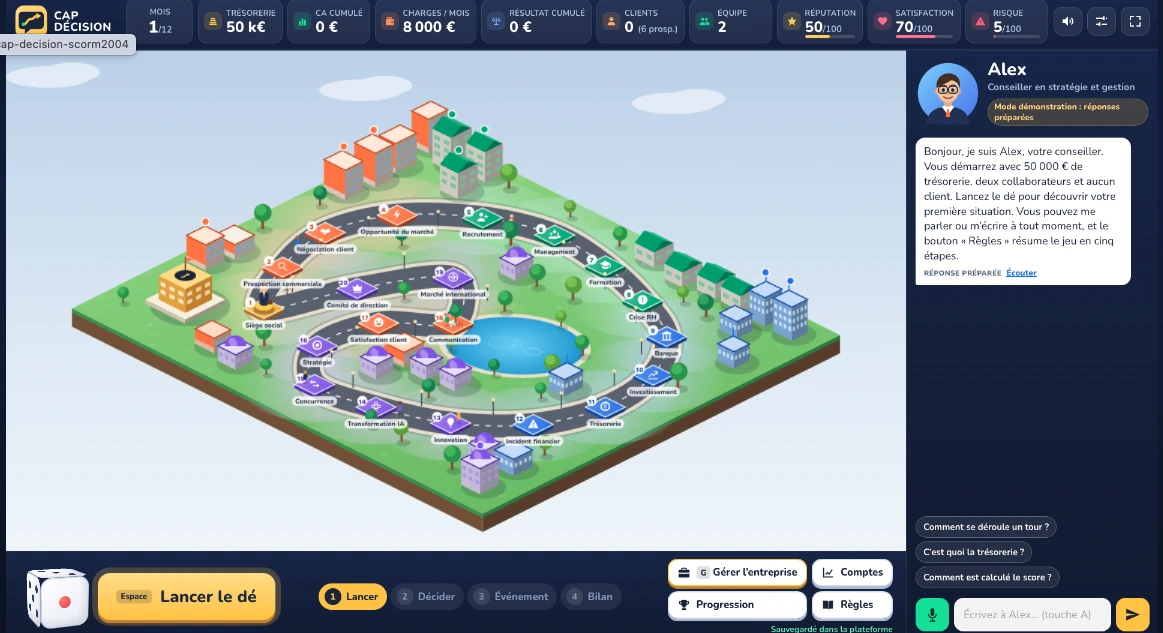
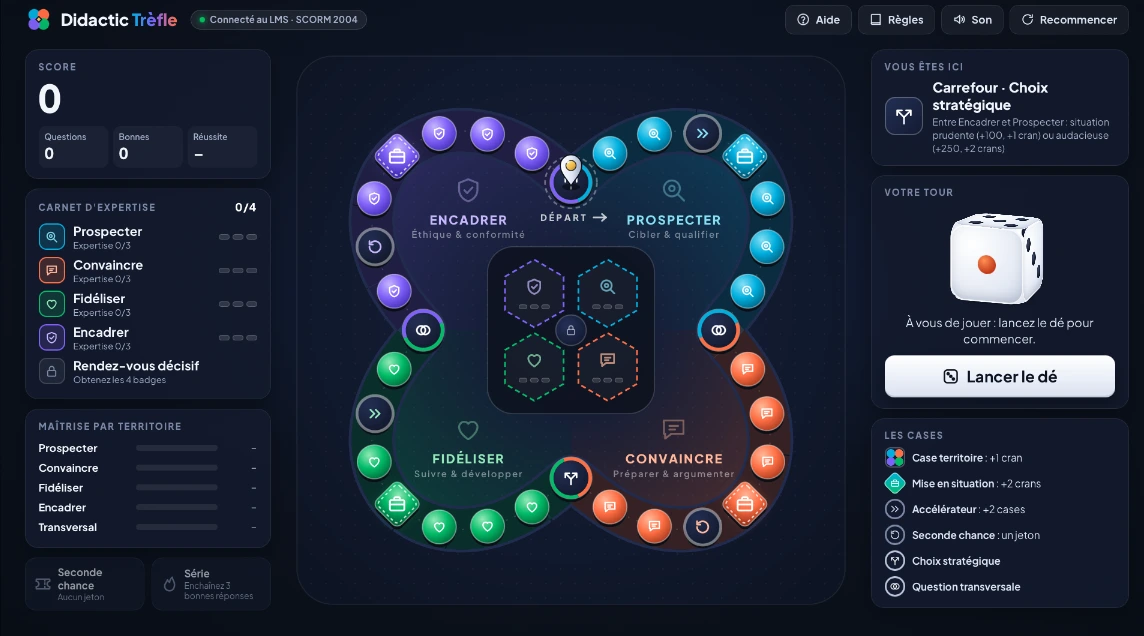
Interactive learning games offer questions, decisions and workplace scenarios. Cap Décision and Didactic Trèfle illustrate two ways to apply knowledge in practice.

  • Business management simulation
  • Customer relations questions and scenarios
  • Learning objectives connected to a mission
Cap Décision business simulation board and company dashboard.

Assess understanding

Questions and choices in the games provide opportunities to work through concepts. For formal training assessment, confirm the available quizzes, tests, scoring rules and results.

  • Questions in the experiences shown
  • Assessment criteria to define
  • LMS quizzes and tests to confirm in a demo
Didactic Trèfle customer relations game and knowledge notebook.

Review progress and learning results

Define the learning analytics you need: progress, results, reporting and traceability. Ask to see the live dashboards and export options that apply to your training project.

  • Metrics aligned with your objectives
  • Dashboards and exports to confirm
  • Certificates and traceability to validate

Organize and deliver learning paths

Connect your learning approach to your audience: training providers, businesses or trainers. Confirm how learning paths are organized and delivered, and which integrations your context requires.

  • Learning paths tailored to audiences
  • Delivery options to clarify
  • Formats and integrations to confirm

For your project, confirm the available authoring, assessment, delivery and reporting tools in a demonstration, along with supported formats, integrations and certificates. The media shown here do not independently demonstrate these capabilities.

Discuss your training project

Request a demo